What you get

A meeting tool that actually remembers.

One encrypted store, three ways to use it — the app, a local MCP server, and your exported Markdown files. One tree holds everything, boards sit on top of it, and Ivy reads all of it.

Workspaces

One tree for everything

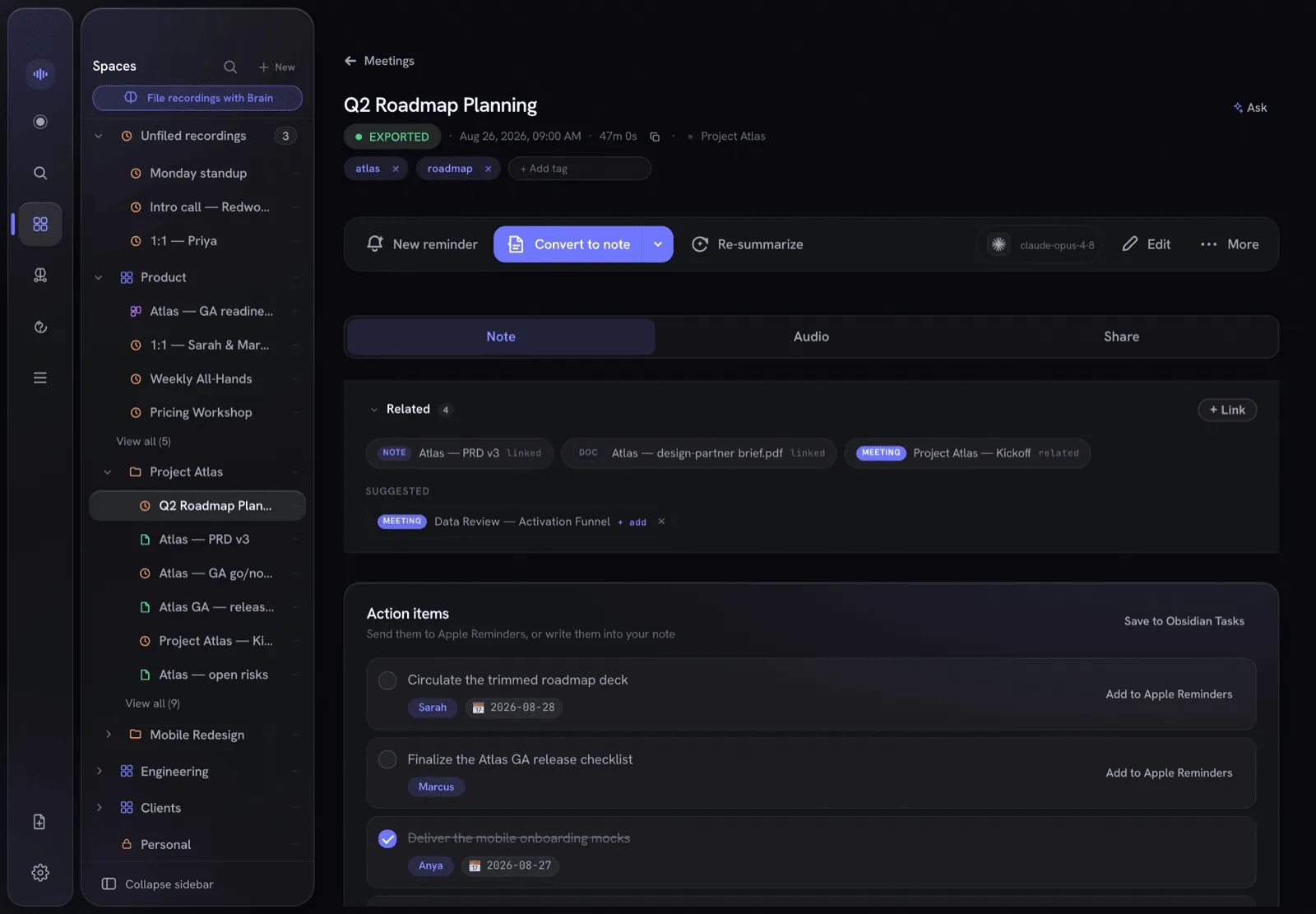
A single tree — Workspaces › folders › your recordings and notes — in one sidebar that collapses to a rail when you want the room. Lock a Workspace and everything inside it is sealed with it.

  • Recordings, notes, tasks and boards file into the same place
  • A sealed Workspace shows its name and nothing else — no counts, no contents
  • Ask Ivy to file a stray recording for you
  • Deleted by mistake? Trash keeps it for 30 days — or however long you set, up to a year
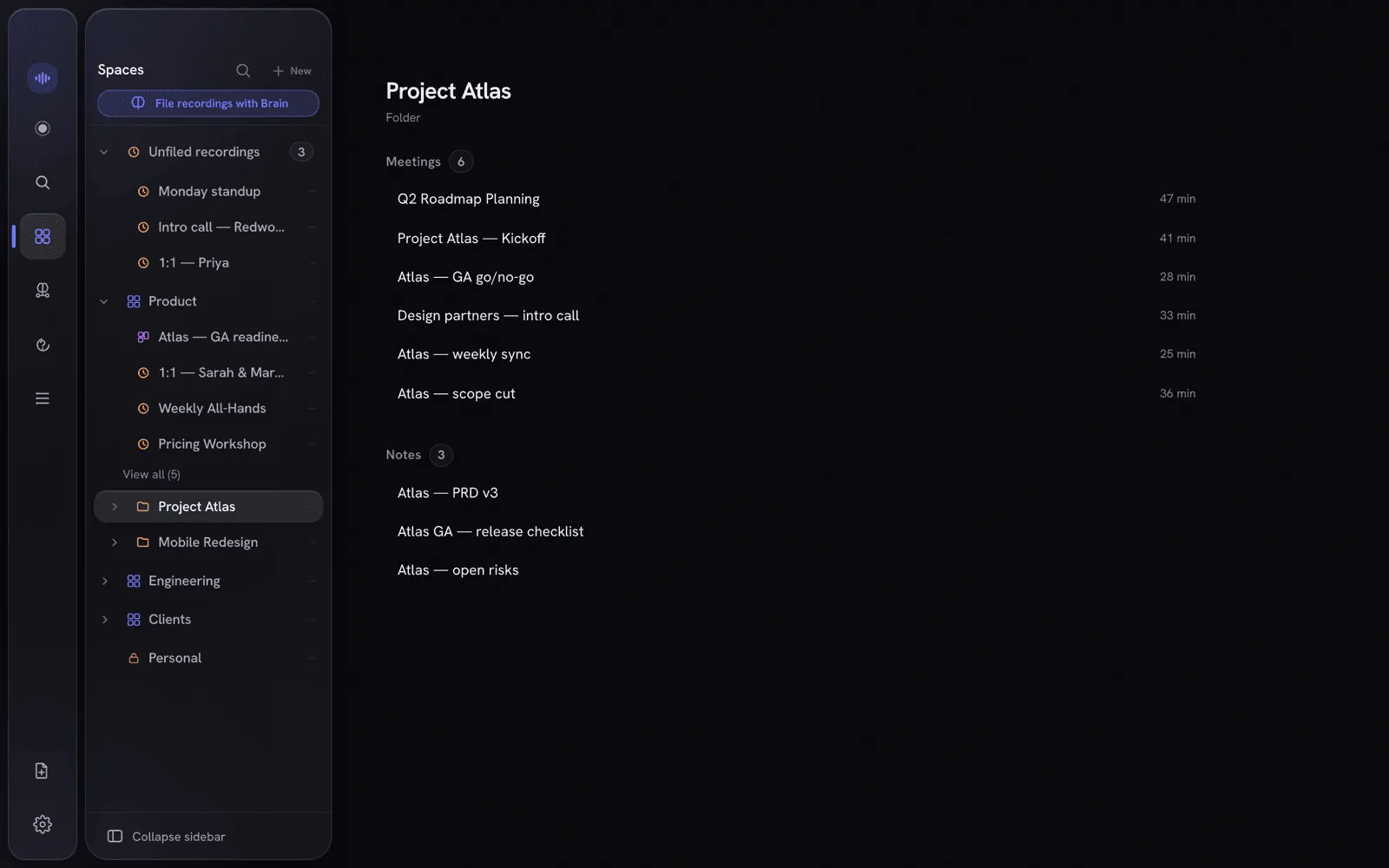
The Workspaces sidebar: one tree of Workspaces and folders holding recordings, notes and boards, with a locked Workspace at the bottom
Dashboards

Boards you compose

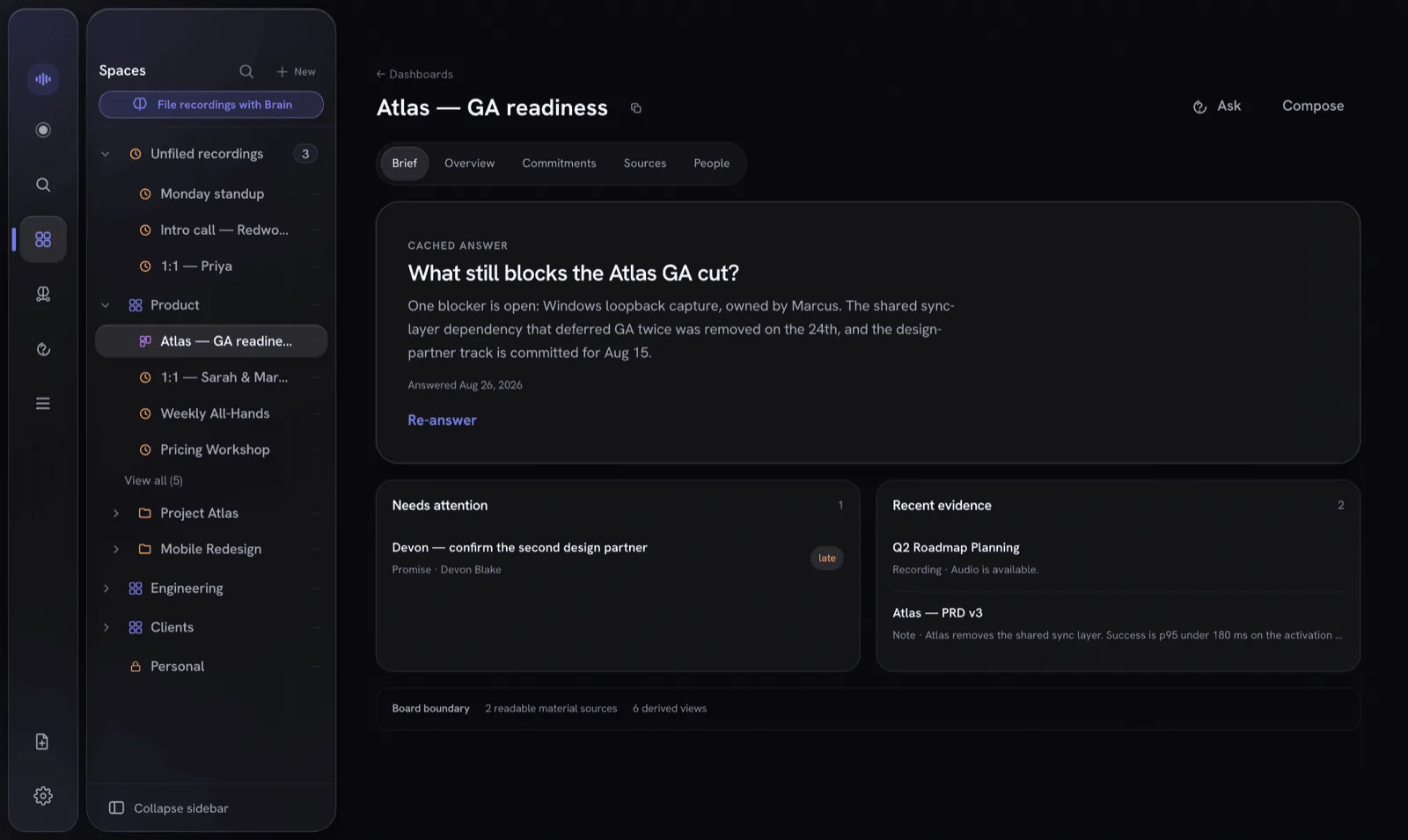
Pull notes, recordings, documents, people, promise ledgers and reminders onto a board, then read it through Brief / Overview / Commitments / Sources / People lenses. Pin a living answer — a question the app keeps up to date, and withholds the moment its sources stop being readable. You can ask a board directly, grounded only in what's on it.

  • Seven kinds of tile — a note, a recording, a document, a person, a promise ledger, a reminders list, or a living answer
  • Five lenses over the same tiles — no second copy of anything
  • A board states its own boundary: what it can read, and what it derived
A board in its Brief lens: a pinned living answer, what needs attention, and the recent evidence behind it
Imports

Bring your existing notes

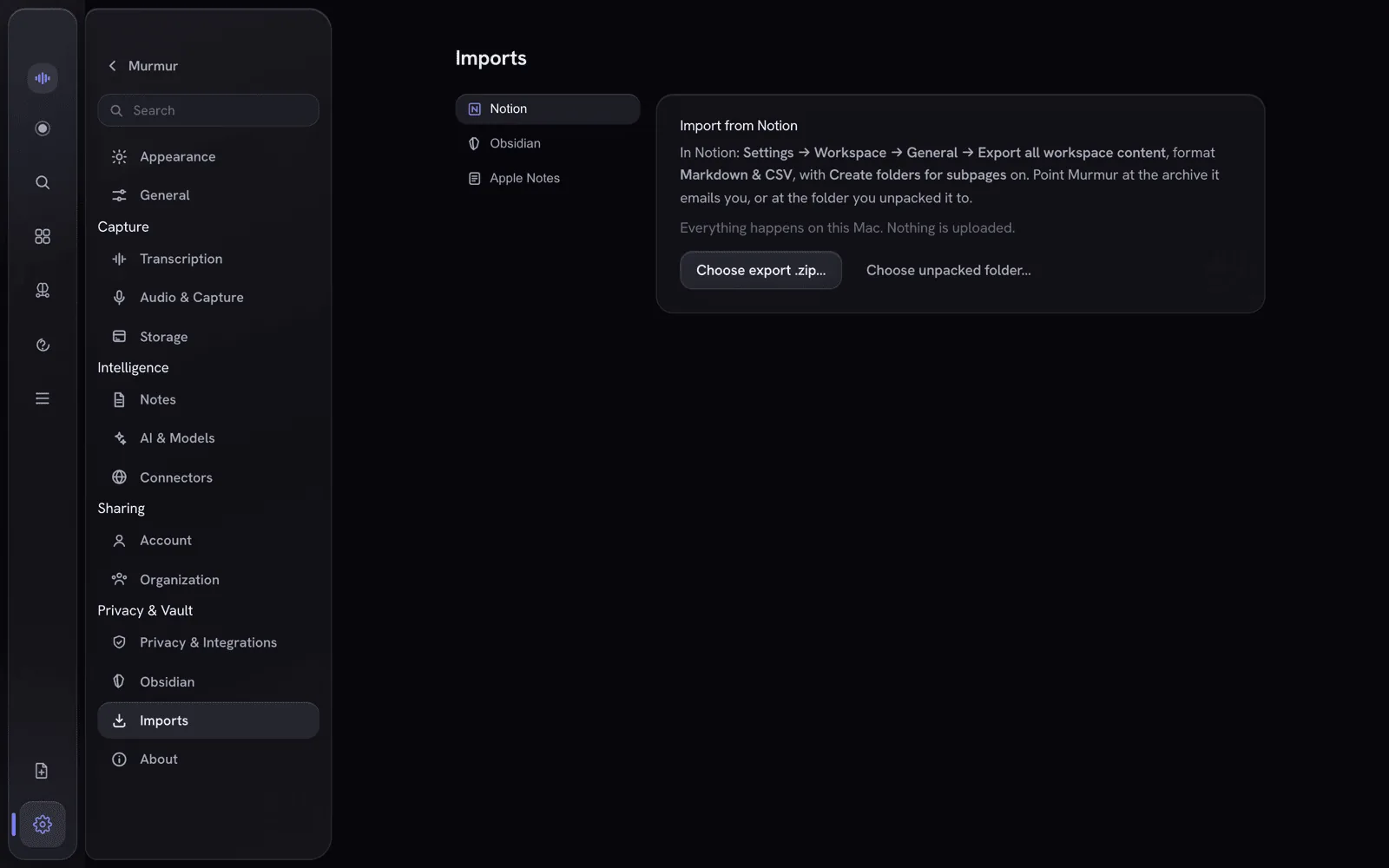
Settings → Imports pulls in a Notion export, an Obsidian vault, or Apple Notes. Entirely offline — no account, no key, no network call. Every import is a dry run first, so you see what it would write before it writes anything.

  • Three sources: a Notion export, an Obsidian vault, Apple Notes
  • Dry run first — nothing is written until you say so
  • Imported notes land in their own named folder, and Ivy reads them like everything else
Settings → Imports: Notion, Obsidian and Apple Notes, with the note that everything happens on this Mac and nothing is uploaded
Ivy

Talk to Ivy — during the meeting.

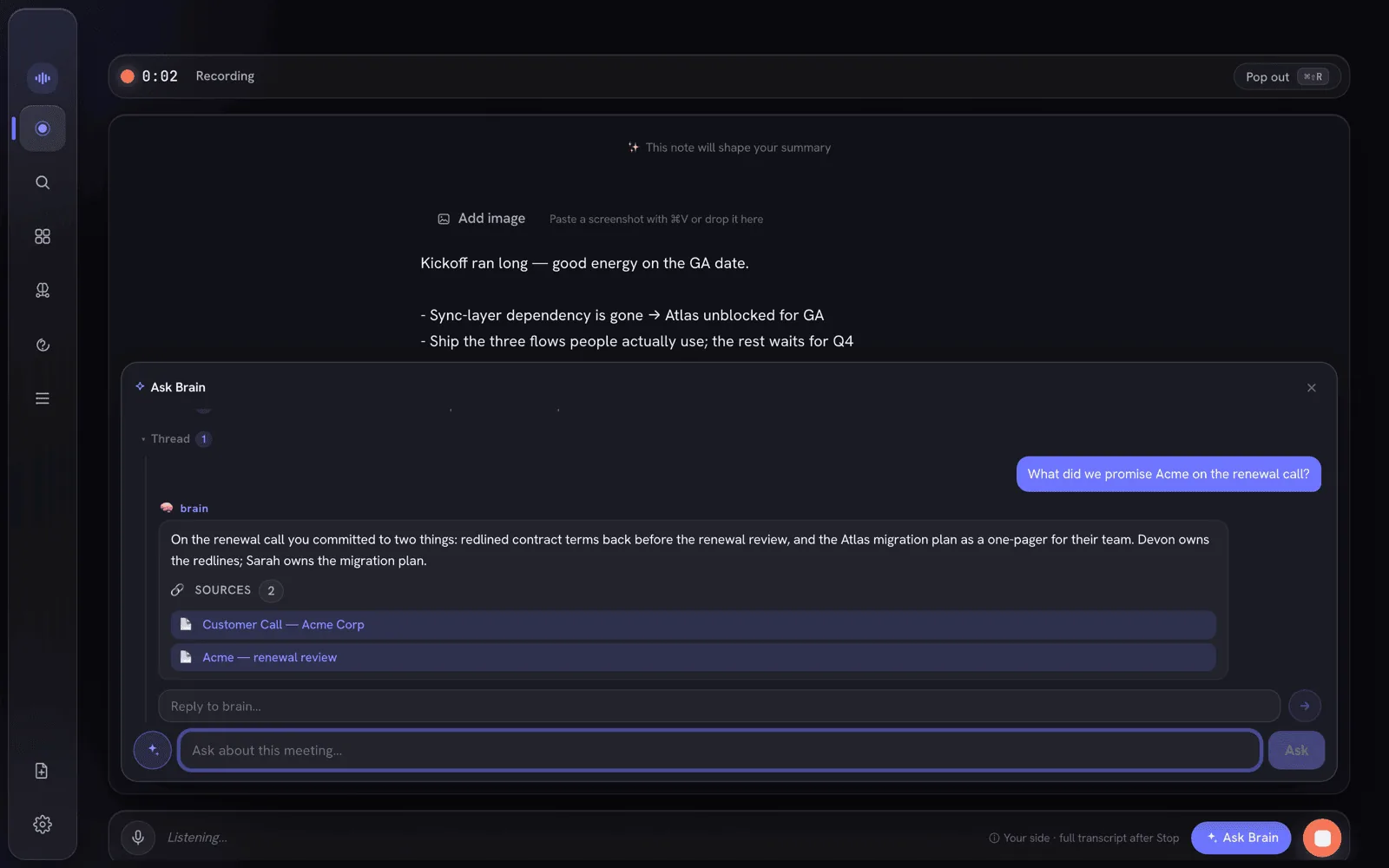
This is the part most note-takers don't have. Trigger Ivy with a wake phrase or a single tap; it answers out of your meeting memory, live, with citations you can open — and the recording never stops.

  • On-device reasoner (Bielik-11B, Qwen) via Metal
  • Grounded, not hallucinated — retrieved from your own transcripts
  • Optional consent-gated web — off by default
A recording in progress with a question asked mid-meeting, answered live by Ivy with the sources it drew on
Ask your vault

Ask across months of calls.

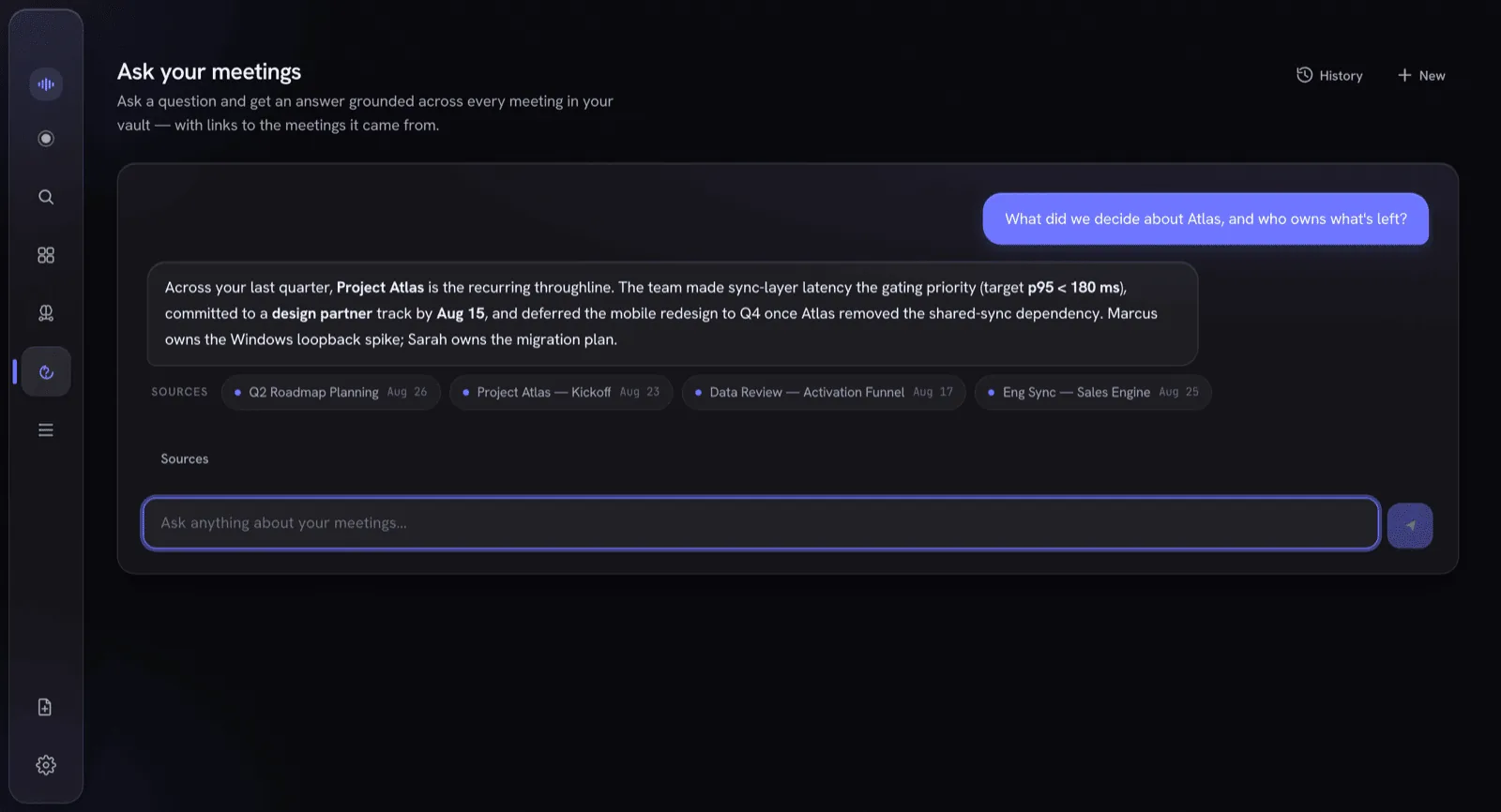
Ivy again, pointed at everything you have ever recorded and written. Every answer arrives with the meetings and notes it was drawn from, so you can open the source instead of taking its word.

  • Narrow a question to one Workspace or folder — the whole subtree, and nothing outside it
  • Conversations are remembered — vault, note and meeting threads persist, with a history browser on each surface
  • A conversation disappears the instant any folder it drew on stops being readable
Asking Ivy across months of meetings and getting one answer, with the meetings it was drawn from listed underneath
Capture & transcribe

It hears both sides of the call.

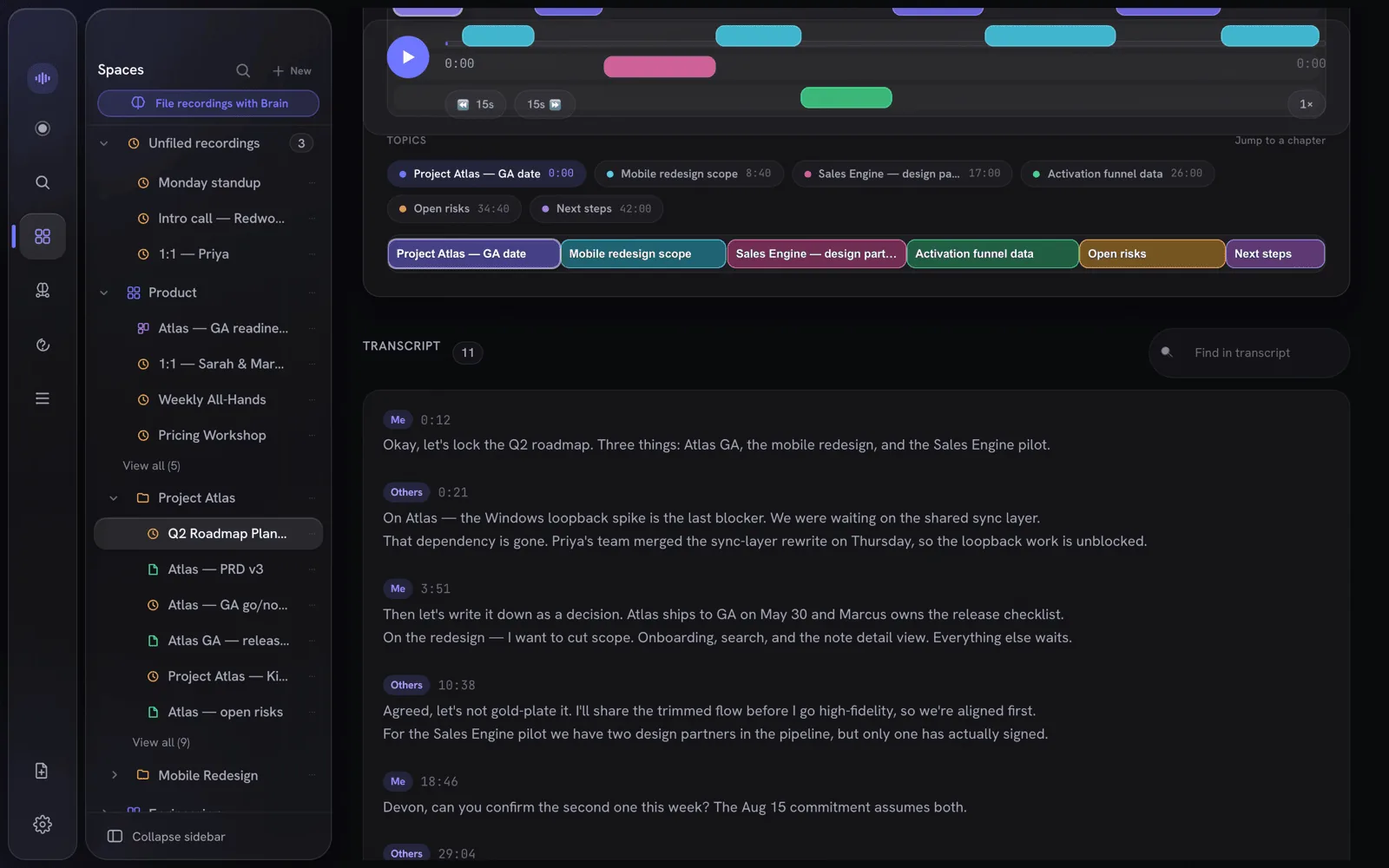
Dual-stream recording captures your mic and the other side's system audio, transcribes each independently on-device, and merges them by wall-clock into a clean Me / Others transcript with live captions as you speak.

  • On-device Whisper — tiny through large-v3, including the faster turbo build, plus quantized variants
  • Two-stream attribution: you and everyone else, plus voice-activity detection
  • A floating recorder bar — record from anywhere (⌘⇧R)
The merged Me / Others transcript, time-indexed, beside the speaker and topic timeline
Notes & memory

Structured notes and a graph that builds itself.

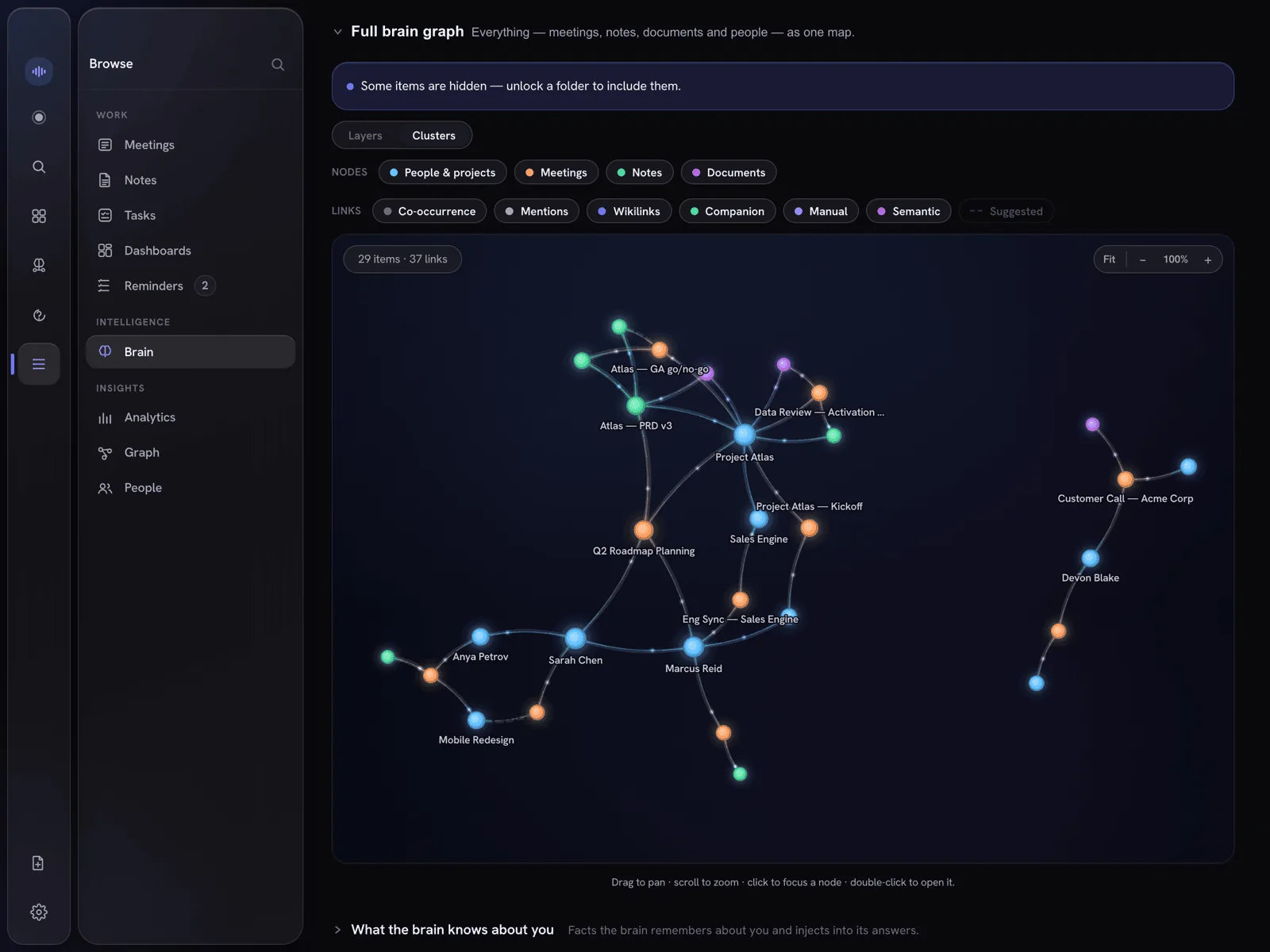
Every call becomes a clean note — summary, decisions, action items, quotes. Recordings and notes live side by side in the same Workspace. People and projects are extracted automatically into a knowledge graph, and sealed Workspaces stay hidden from it.

  • Ask across every meeting with hybrid semantic search
  • Entity dossiers, related meetings, weekly digests
  • Private reminders that never leave the Mac, each linked back to the recording or note it came from — Ivy proposes, you accept
  • Action items can also push to Apple Reminders
  • Feed it PDFs, Office docs, web pages and images — indexed for Ivy, on-device
The knowledge graph — meetings, notes, documents and people as one map, with typed links between them
Receipts

Every claim traces back to the tape.

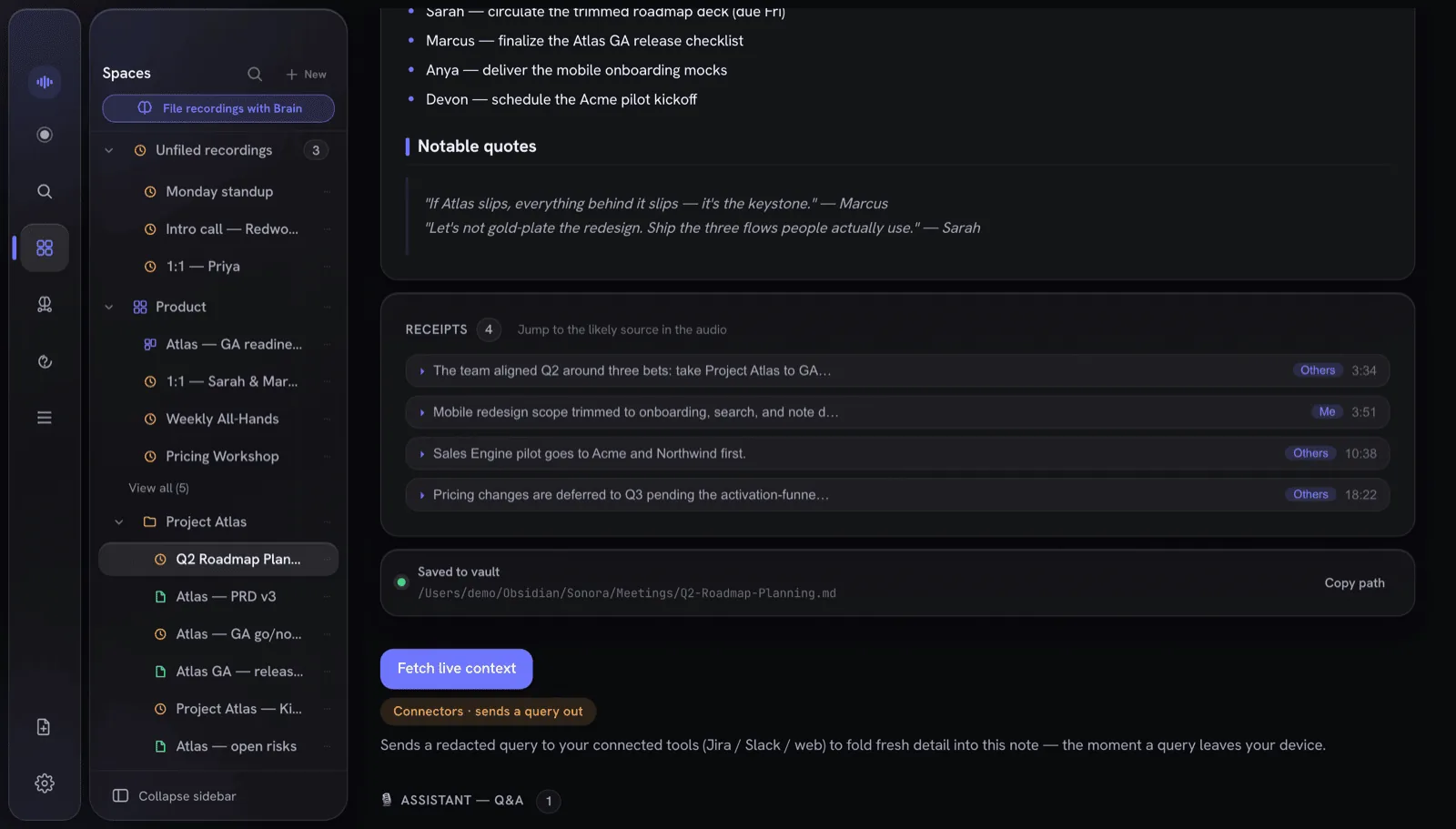
IndexOne's notes don't ask you to trust them. Each line that's grounded in what was actually said carries a receipt — click it to jump straight to that second of audio, with the speaker and confidence. Paraphrased or unsupported lines get none, so you can see at a glance what's verified.

  • Click a claim, hear exactly where it came from
  • Speaker and ASR confidence on every receipt
  • Seven one-click artifacts from any meeting — follow-up email, decision log, work ticket, 1:1 recap, standup, sales recap, interview notes
  • Sealed folders leak no timing or speaker, ever
A generated note's receipts: one row per grounded claim, each carrying the speaker and the second of audio it came from
Yours to keep

Plain Markdown. No lock-in.

Every note is also exported as atomic Markdown — YAML front-matter, [[wikilinks]], block deep-links, and a canvas board option. They're just plain files you own, openable in any editor.

  • An encrypted SQLite database is the single source of truth
  • A read-only local MCP server for Claude Desktop and Claude Code
  • Plain Markdown exports you can open in any editor
A structured note — summary, decisions, action items and quotes — beside the recordings and notes it links to
Notes

Not just meeting notes. All your notes.

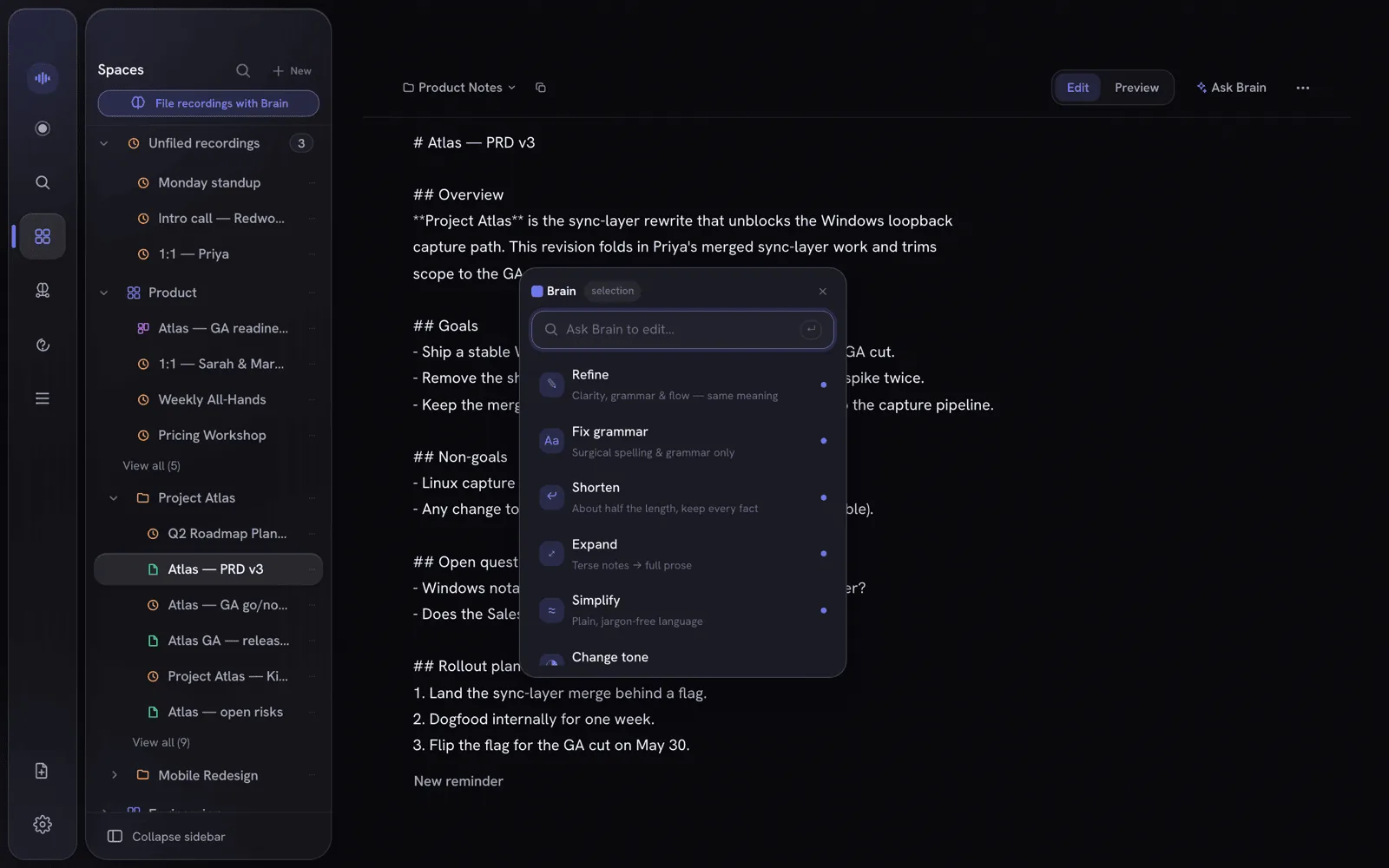
A full Markdown editor, filed in the same Workspaces as your recordings — for anything you write, not just what IndexOne transcribes. Select any passage and the Ivy menu appears: refine, shorten, change tone, translate, fact-check, or just type what you want done.

  • Nineteen Ivy actions, one keystroke away
  • Grounded in your own meetings and notes, not the model's guesses
  • Paste screenshots into notes; they stay local and follow the Workspace's lock
The note editor with a text selection and the Ivy command menu open, showing Refine, Shorten, Change tone and more actions
Shared Ivy

Work as a team, still end-to-end encrypted.

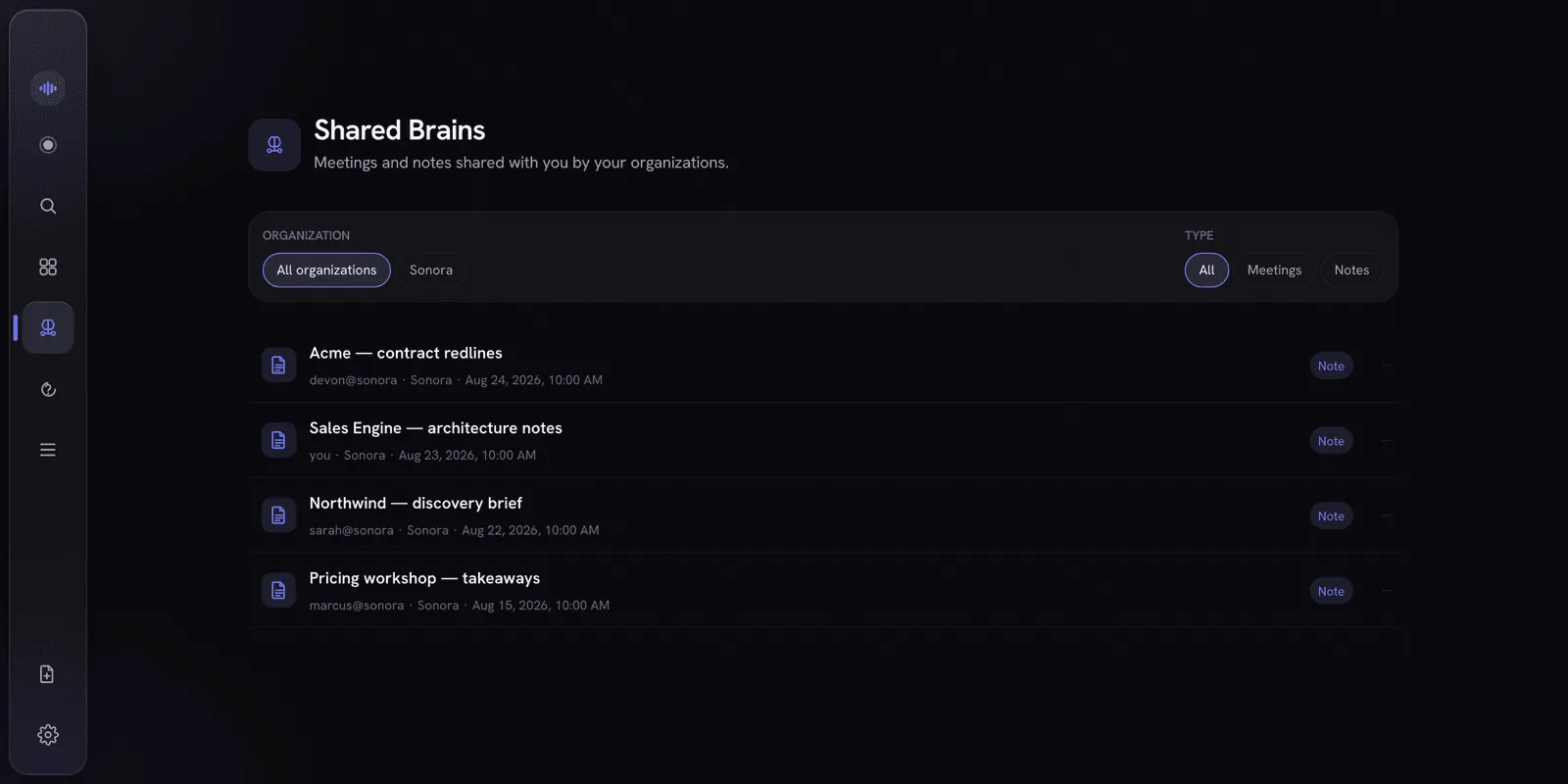
Publish a note or meeting summary into your organization's Shared Ivy and it stays in sync for every member as you edit. Everything is sealed on your Mac before it ever leaves — the server only ever stores ciphertext, wrapped keys and public keys.

  • AES-256-GCM sealed under an organization content key before upload
  • Verify before publish — the same discipline as locking a folder
  • Per-document permissions — the author sets View only or Can edit on each shared document
  • Belong to more than one organization — each gets its own encrypted feed
  • Shared Tasks — assignees, due dates, subtasks and the same permissions; tasks live inside an organization, so they need a signed-in account
The Shared Ivy view: meetings and notes your organizations have shared with you, each with its author and organization

Bring Ivy to your meetings — keep control on your Mac.

Local-first for macOS. Keep AI local, or explicitly opt into redacted cloud AI when you choose. See how it compares with Obsidian, Notion, Evernote, Bear and Amie.

Running version 2.8.0 or earlier? Its update check can no longer reach us. Download the latest release once and drag it into Applications, replacing the old copy; your library, recordings and settings stay where they are. From 2.9.0 on, the app finds new versions by itself.