Privacy isn't a setting. It's the architecture.
IndexOne is designed so transcription, search and on-device Ivy can run with no network at all — once you switch off the one thing that does reach out: a launch-time check for a new version. If you choose cloud AI, consent and a redaction firewall sit in front of that egress.
Nothing leaves the device
With an on-device model you download once, or Ollama, your audio and transcripts never touch a network. The reasoning happens on your Mac.
Two encryption layers at rest
The whole database is SQLCipher-encrypted. On top, a per-folder AES-256-GCM lock adds content keys wrapped by a master key released only by Touch ID.
Every read is gated
A sealed, locked folder leaks nothing — across the app, search, the graph, MCP, even the audio path. Locked meetings simply show as Locked.
Seals verify before they destroy
IndexOne proves the ciphertext decrypts back before it ever blanks the plaintext — content is never lost, and locking is fully reversible.
Screen-share aware
A watcher can auto-relock sealed folders and wipe the cached key the moment screen sharing is detected — so a shared screen can't spill private notes.
Redaction firewall
If you ever opt into a cloud summarizer, emails, card-like numbers and phone numbers are scrubbed first — and cloud egress is fail-closed behind a one-time consent. Download the optional name-masking model and people's names are replaced too.
The one call we make by default
At launch IndexOne asks GitHub whether a newer version exists. The request says which version you are running, because that is how it asks the question — and nothing else: no meetings, no notes, no account. You can switch it off in Settings → Privacy. It is the only thing on this page that happens without you asking for it, which is exactly why it is on this page.
| Ivy / provider | Where it runs | Does meeting text leave your Mac? |
|---|---|---|
| On-device Ivy (Bielik / Qwen) | Fully local | No |
| Ollama | Fully local | No |
| Claude Code (default summarizer) | Local CLI → cloud | Only after consent; redaction firewall applied |
| Codex (OpenAI's CLI, run tool-free) | Local CLI → cloud | Only after consent; redaction firewall applied |
| Anthropic API (bring your own key) | Direct HTTPS | Only after consent; redaction firewall applied |
| AI Gateway (any OpenAI-compatible endpoint — LiteLLM, Kong, Portkey, vLLM…) | Direct HTTPS | Only after consent; redaction firewall applied |
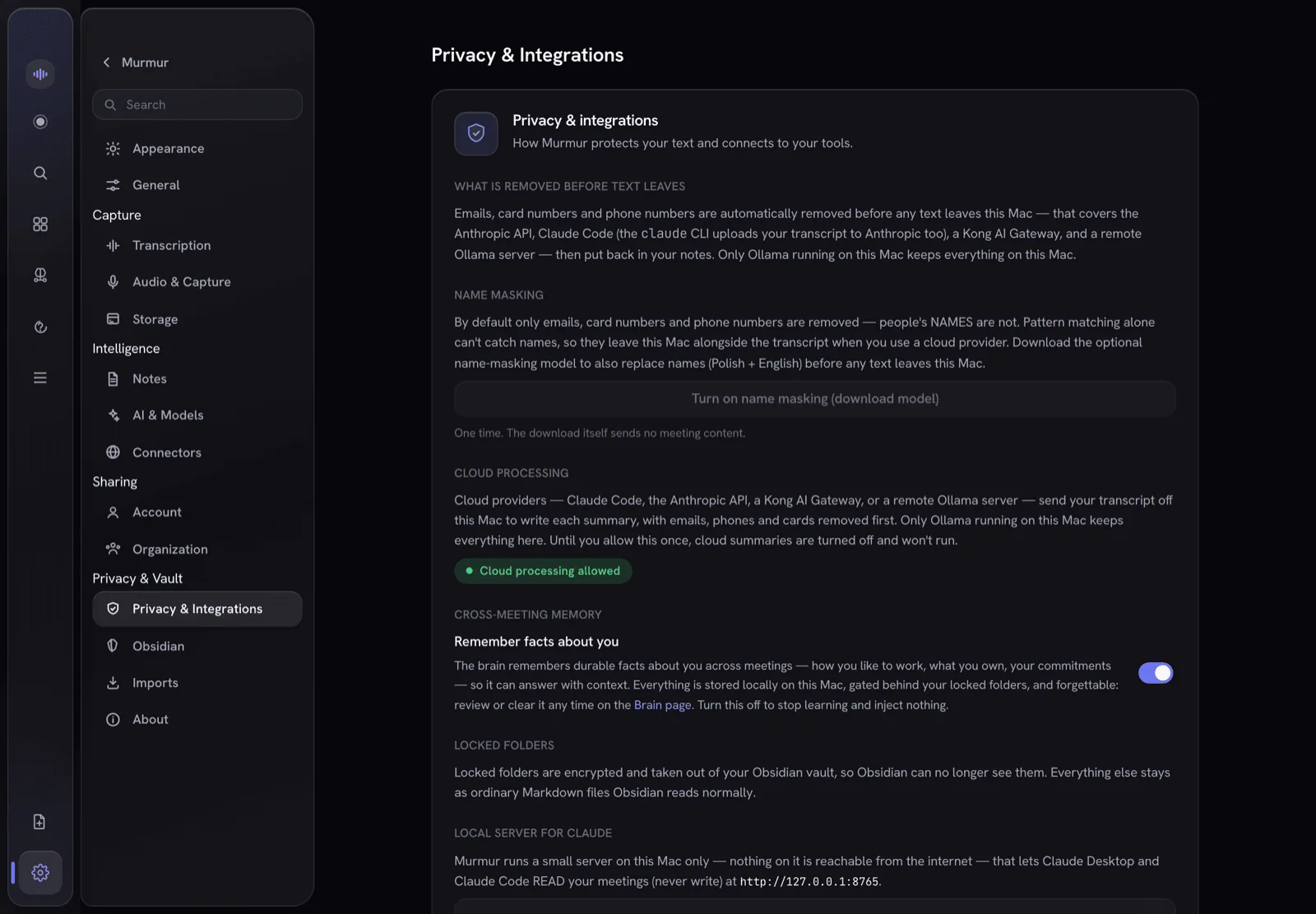
IndexOne tells you, in plain language, exactly what leaves your Mac — and every cloud AI call is logged and shown back to you. Your meetings stay on-device unless you opt in. One model picker is used across every AI surface, and it always accepts a model id you type yourself — so a model released after this build still works.
Bring Ivy to your meetings — keep control on your Mac.
Local-first for macOS. Keep AI local, or explicitly opt into redacted cloud AI when you choose. See how it compares with Obsidian, Notion, Evernote, Bear and Amie.
Running version 2.8.0 or earlier? Its update check can no longer reach us. Download the latest release once and drag it into Applications, replacing the old copy; your library, recordings and settings stay where they are. From 2.9.0 on, the app finds new versions by itself.