Graph, people and analytics
As you record and write, IndexOne recognizes the people and projects you talk about and connects them into a graph, on your Mac. Browse › Graph and Browse › People let you explore it, the Ivy page draws everything as one map, and Browse › Analytics shows how much you meet and exactly what has left your Mac.
Checked against IndexOne 3.19.0, released November 14, 2026.
The graph builds itself
Each meeting note names the people and projects it mentions. IndexOne links them across meetings automatically, with no setup: open a person or a project and you see every meeting they came up in. Link people & projects in a meeting's More menu links the people and projects in its note.
The graph only shows what you can open. Items in a locked folder are hidden until you unlock it, and the page says when something is hidden. On this Mac shows only meetings that are not in an organization.
Graph
Browse › Graph lists the people and projects across your meetings, with how often each one is mentioned.
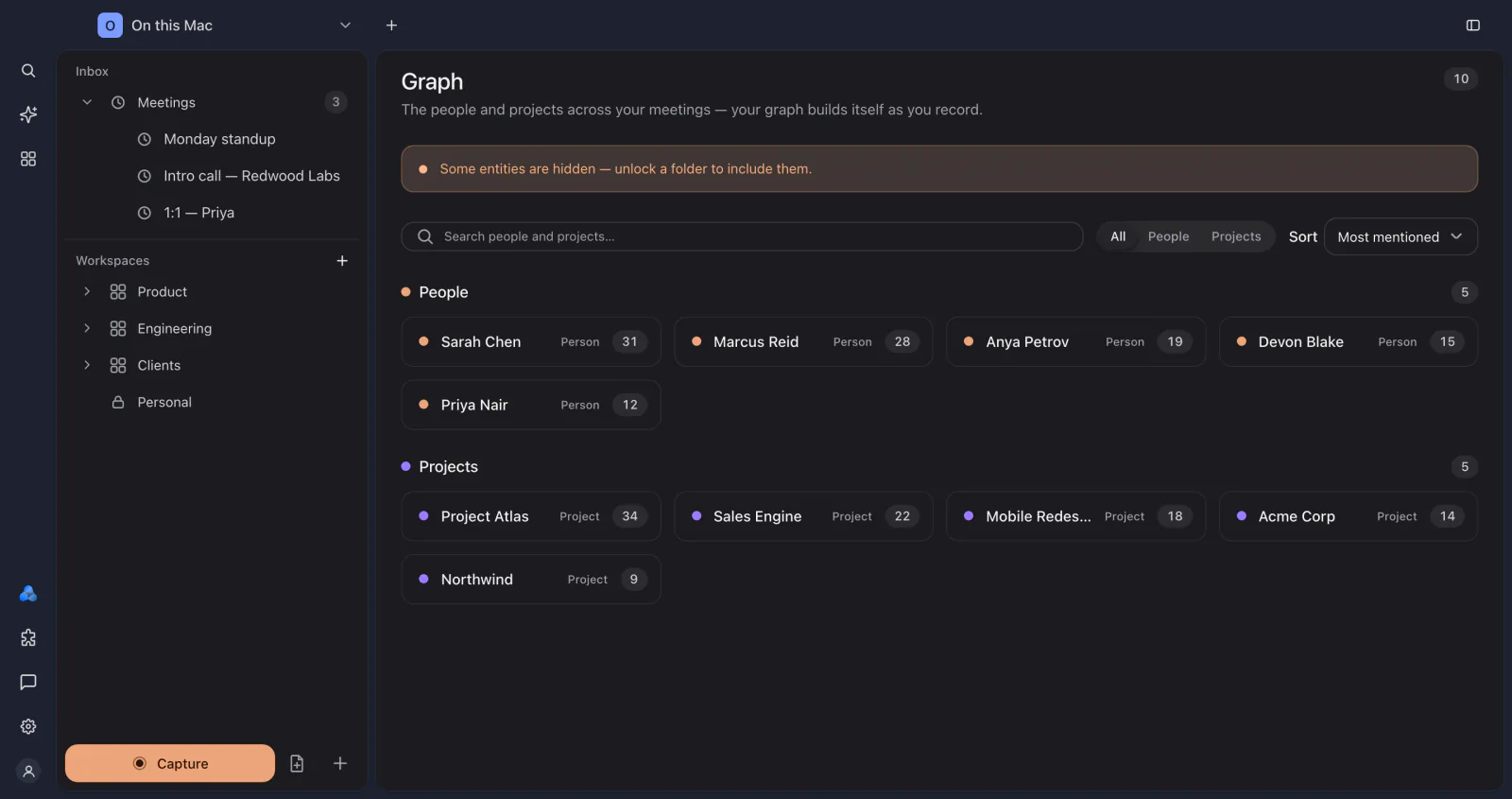
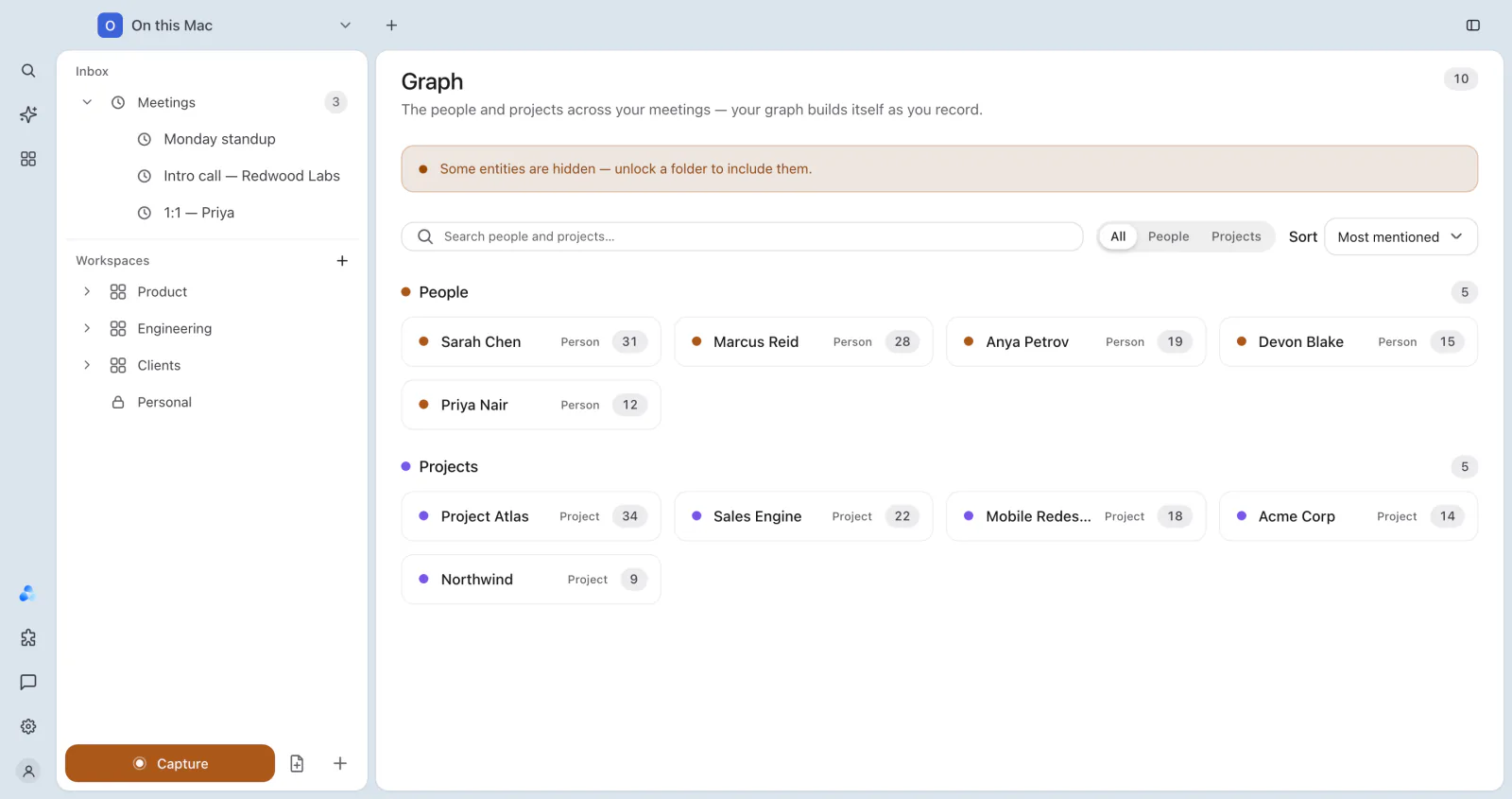
- Search people and projects… narrows the list.
- All, People and Projects filter by kind.
- Sort by Most mentioned or Name.
Open one to see its details: the meetings it is Mentioned in, the entities it appears with, and a decision ledger of Changes over the last 90 days or all time. Each change links to its source meeting and opens the recording at the moment a receipt matches. See Receipts.
People
Browse › People lists everyone across your meetings: how recently you talked, how many open commitments and known facts they have. Open a person for their dossier:
- Timeline: the meetings that mention them.
- Who owes what: open commitments, with due dates.
- Facts: what IndexOne knows about them now, and What changed over time.
- Also appears with: the people and projects they come up with most.
The full Ivy graph
On the Ivy page (Browse › Ivy), Full Ivy graph draws everything, meetings, notes, documents, people and projects, as one map.
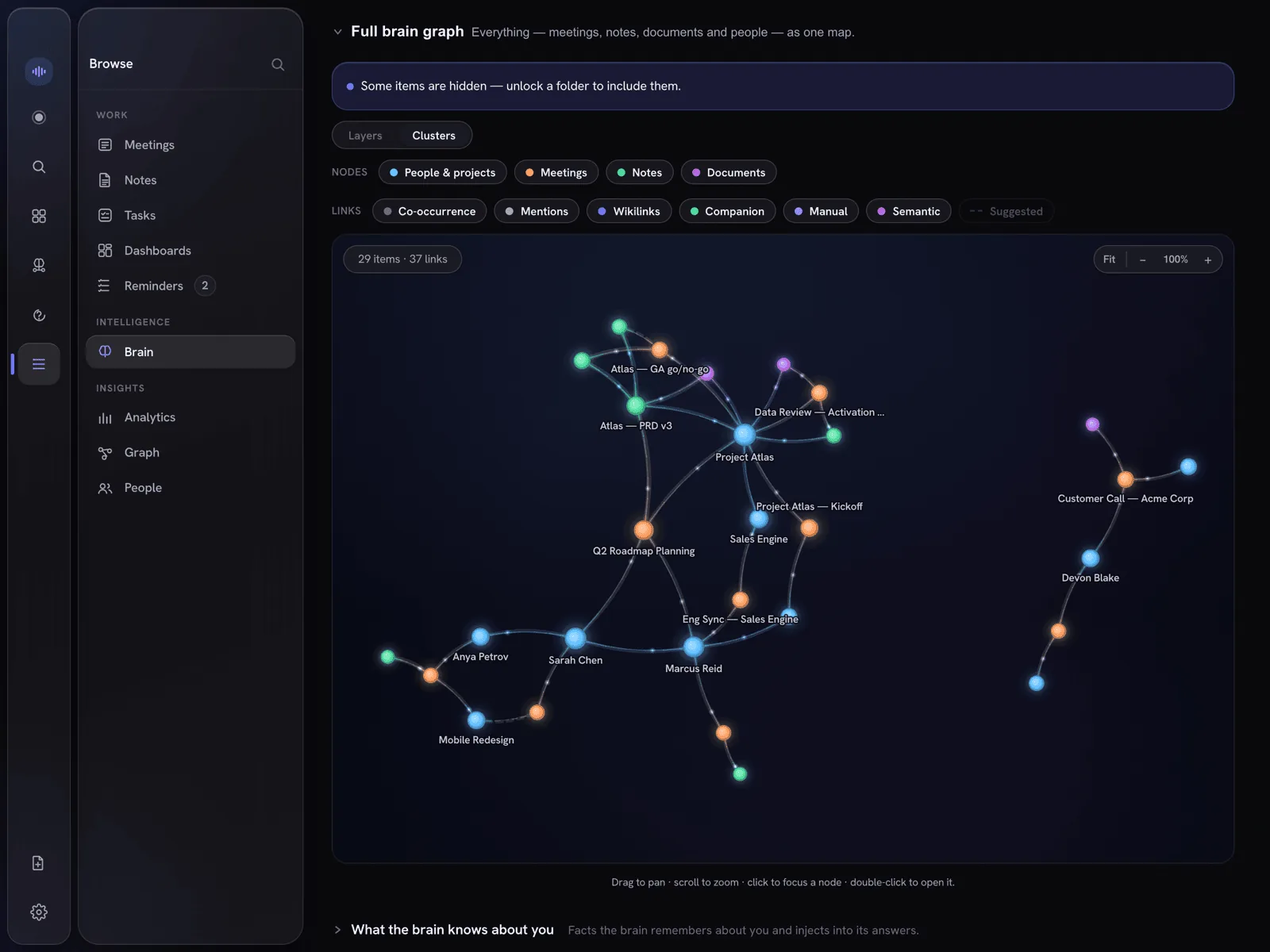
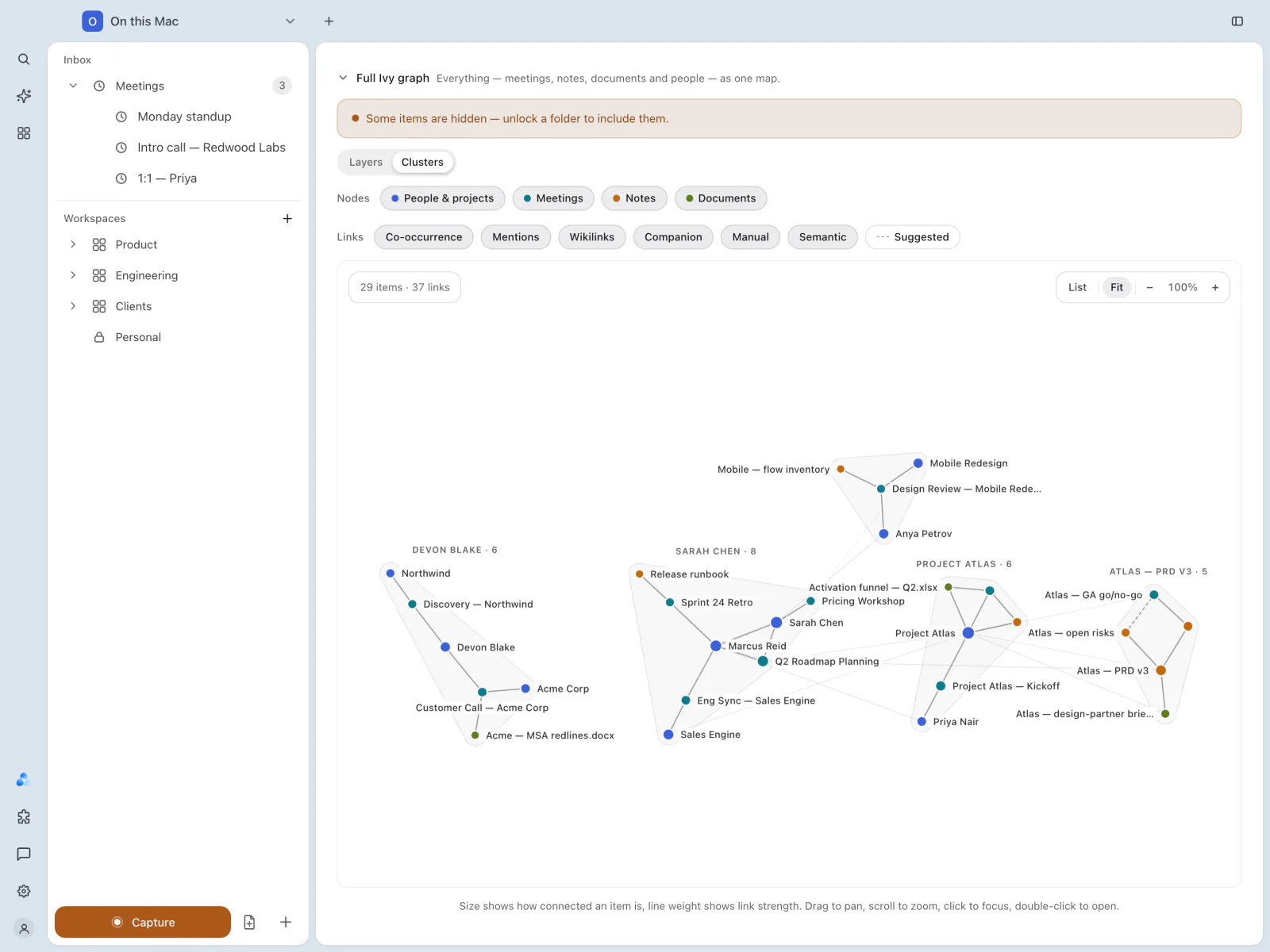
- Layers or Clusters arranges the map.
- Nodes shows or hides People & projects, Meetings, Notes and Documents.
- Links shows or hides each kind of connection: Co-occurrence, Mentions, Wikilinks, Companion, Manual and Semantic, plus Suggested links.
- Size shows how connected an item is and line weight shows how strong a link is. Drag to pan, scroll to zoom, click to focus and double-click to open. List shows the same items as a list, and Fit fits the map to the window.
The graph can be used from the keyboard too: arrow keys move to the nearest item, Page Up and Page Down step through all of them, Enter opens the selected one and Escape clears the selection.
Analytics
Browse › Analytics sums up your meetings:
- Total meetings, Total time, This week and Avg length.
- Activity: meetings per day over the last 30 days.
- By status, Longest session, Notes created and Recording since.
- Topic threads: subjects that come back across meetings.
Weekly digest
Pick 7 or 30 days and choose Generate digest for a written summary of that period. It is made by the AI chosen for the workspace, with the usual redaction.
What leaves this Mac
This is the record behind redaction: every call IndexOne made to a cloud AI, over 7, 30 or 90 days.
- Cloud calls and Tokens sent (a token is roughly ¾ of a word).
- Emails, phones and cards removed before sending, and restored in your notes, plus how many names were masked when name masking is on.
- Breakdowns By model and By day, and the Recent calls, including any images sent.
- A call sent without name masking is marked Names not masked. A call sent during a recording notes that only pattern redaction applied, because the on-device name model was paused.
When nothing was sent, it says that everything stayed on this Mac. See Redaction and Data flow.
Something missing or out of date? Tell us in GitHub Discussions, or send a report from IndexOne with Send feedback.