Receipts
A note is only useful if you can trust it. Receipts let you check: claims in a meeting note that can be traced to a specific part of the transcript get a receipt, and one click plays the recording from that moment.
Checked against IndexOne 3.19.0, released November 14, 2026.
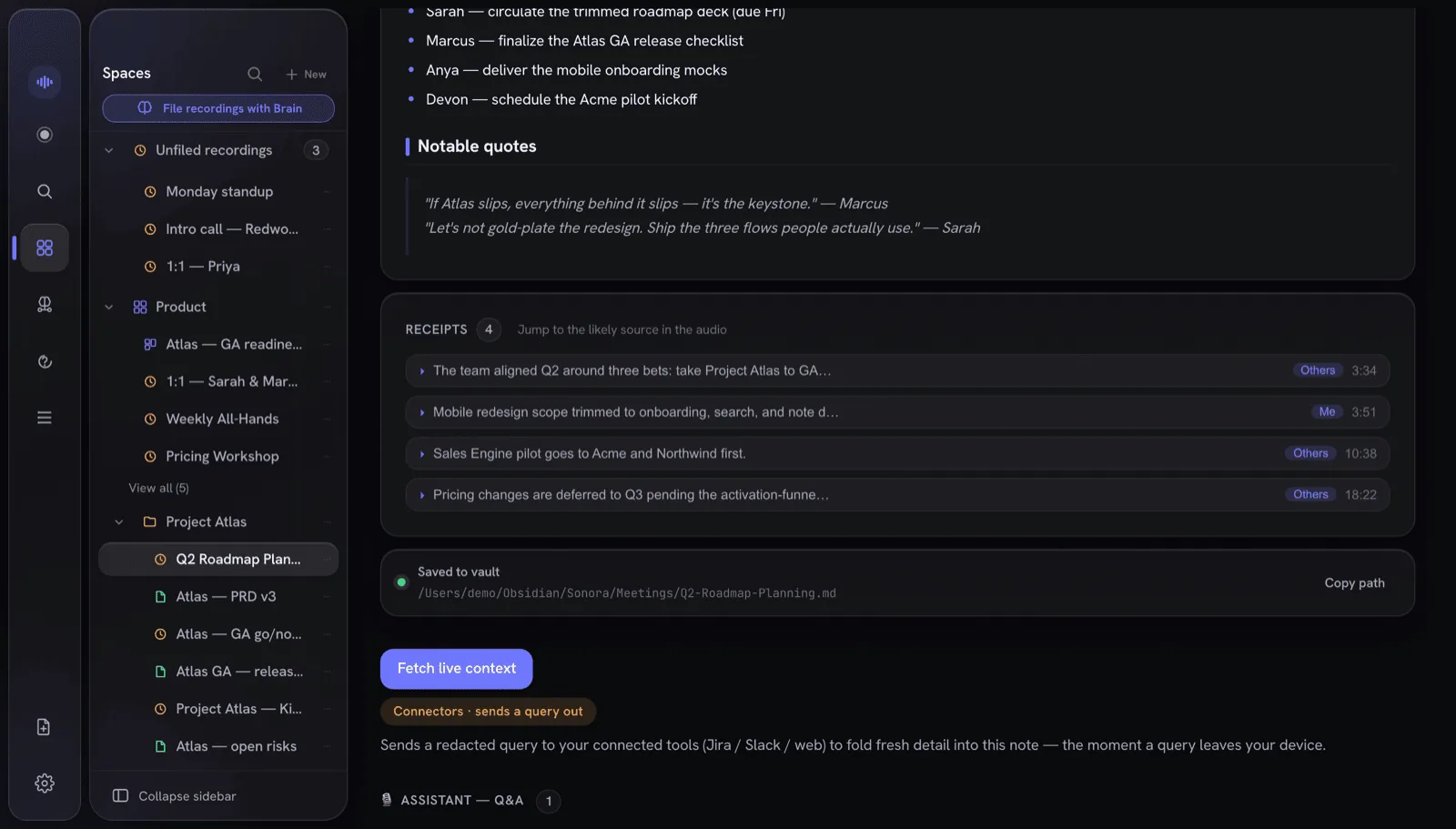
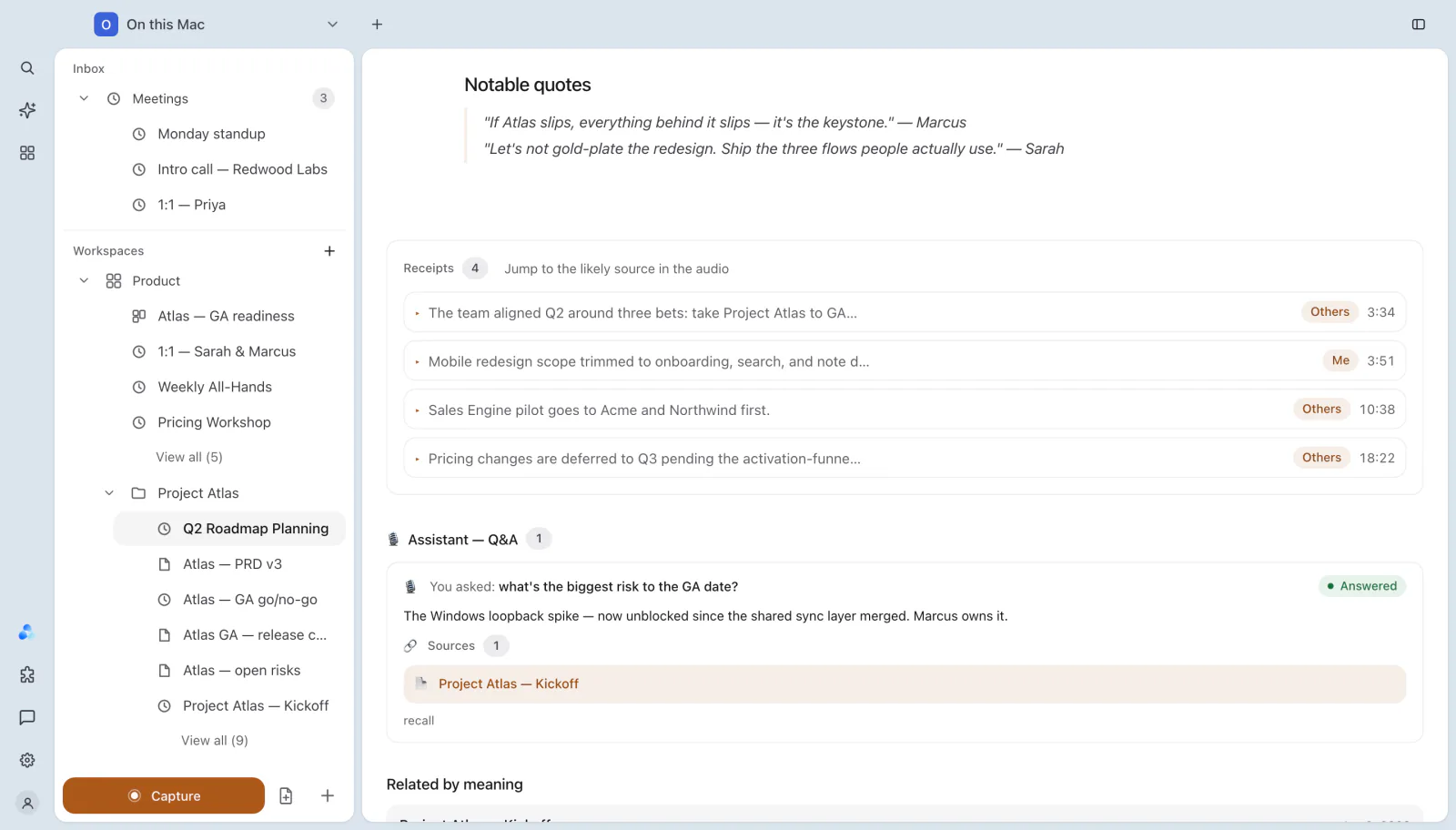
Where receipts appear
Below a meeting's note, the Receipts card lists every claim IndexOne could match to the audio, with a count and the hint "Jump to the likely source in the audio". Each row shows:
- the claim, shortened to one line,
- the speaker, such as Me or Others,
- the time in the recording.
Click a row and IndexOne seeks the recording to that moment, so you can hear it for yourself instead of searching through the whole meeting.
Reading a receipt
Hover over a receipt to see its details, for example "Likely source · 3:34 · Others". When IndexOne knows how well the speech was recognized there, it adds audio: clear or audio: unclear. An unclear source is worth a listen before you rely on the claim.
A receipt points to the likely source: the part of the transcript that best matches the claim. A line in the note with no receipt was not matched to a single moment, for example because it sums up several parts of the meeting. That is a signal to check it, not proof that it is wrong.
Receipts elsewhere
- People and projects. In a person's or project's details in the graph, the change history links each entry to its source meeting, and opens the recording at the moment when a receipt matches. See Graph, people and analytics.
- Ask Ivy. Answers list their Sources, the meetings and notes they came from. See Meet Ivy.
Flag unsupported claims
For a second check, turn on Flag potentially unsupported claims in Settings › Notes. After writing a note, IndexOne compares it with the meeting's transcript and marks lines that may need review. The check runs on your Mac and adds no cloud request. Its thresholds are conservative and not yet calibrated, so a marker is not proof that a claim is true or false.
Receipts and locked folders
Receipts follow the meeting they belong to. When a meeting is in a locked folder, its note, transcript and audio, and so its receipts, stay hidden until you unlock the folder. See The lock model.
Something missing or out of date? Tell us in GitHub Discussions, or send a report from IndexOne with Send feedback.