Redaction and cloud processing
Before text goes to a cloud AI, IndexOne removes personal details from it and puts them back in your notes afterwards. Nothing goes to Claude Code or Codex until you allow cloud processing once, and every call is listed in Analytics.
Checked against IndexOne 3.19.0, released November 14, 2026.
When redaction applies
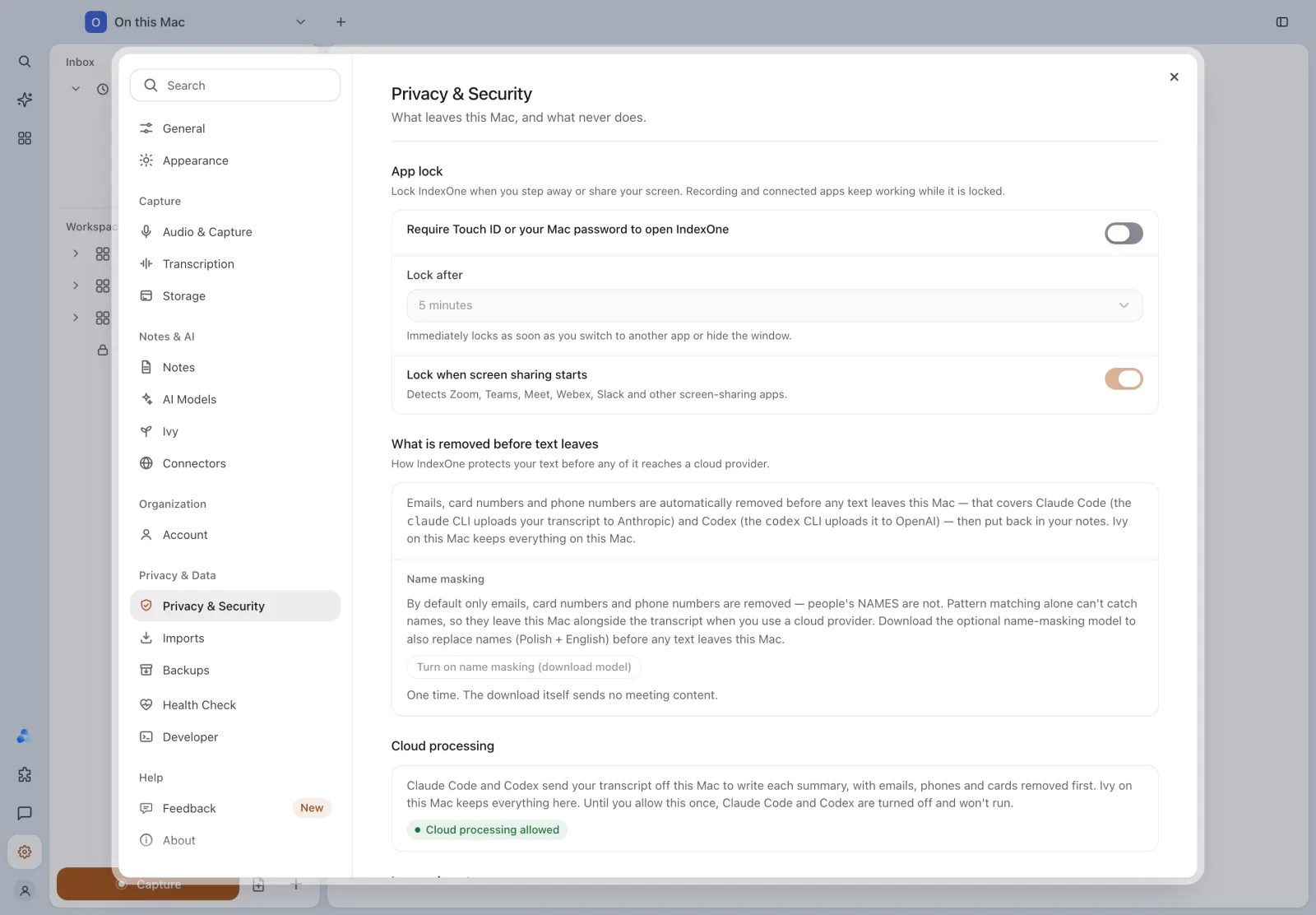
Redaction runs on this Mac before text is sent to:
- Claude Code, through the
claudeprogram on your Mac, which sends it to Anthropic; - Codex, through the
codexprogram on your Mac, which sends it to OpenAI; - a Local AI server at an address that is not on this Mac.
It covers transcripts, notes, your questions, the glossary and the context sent with them. Connector searches (web search, Jira, Slack, Notion, ClickUp) send only your query, redacted the same way.
Ivy on this Mac and a Local AI server on this Mac keep everything here, so nothing needs to be removed. Ivy on the web works differently: your recordings go to IndexOne's servers, which make the transcript and the note. See What leaves your Mac.
What is removed
IndexOne replaces these with placeholders before the text leaves:
- email addresses;
- card numbers and bank account numbers;
- phone numbers.
When the answer or note comes back, IndexOne puts the real values back in, so your notes read normally.
Dates and amounts are kept, so a note still says when something is due and how much it costs.
Name masking
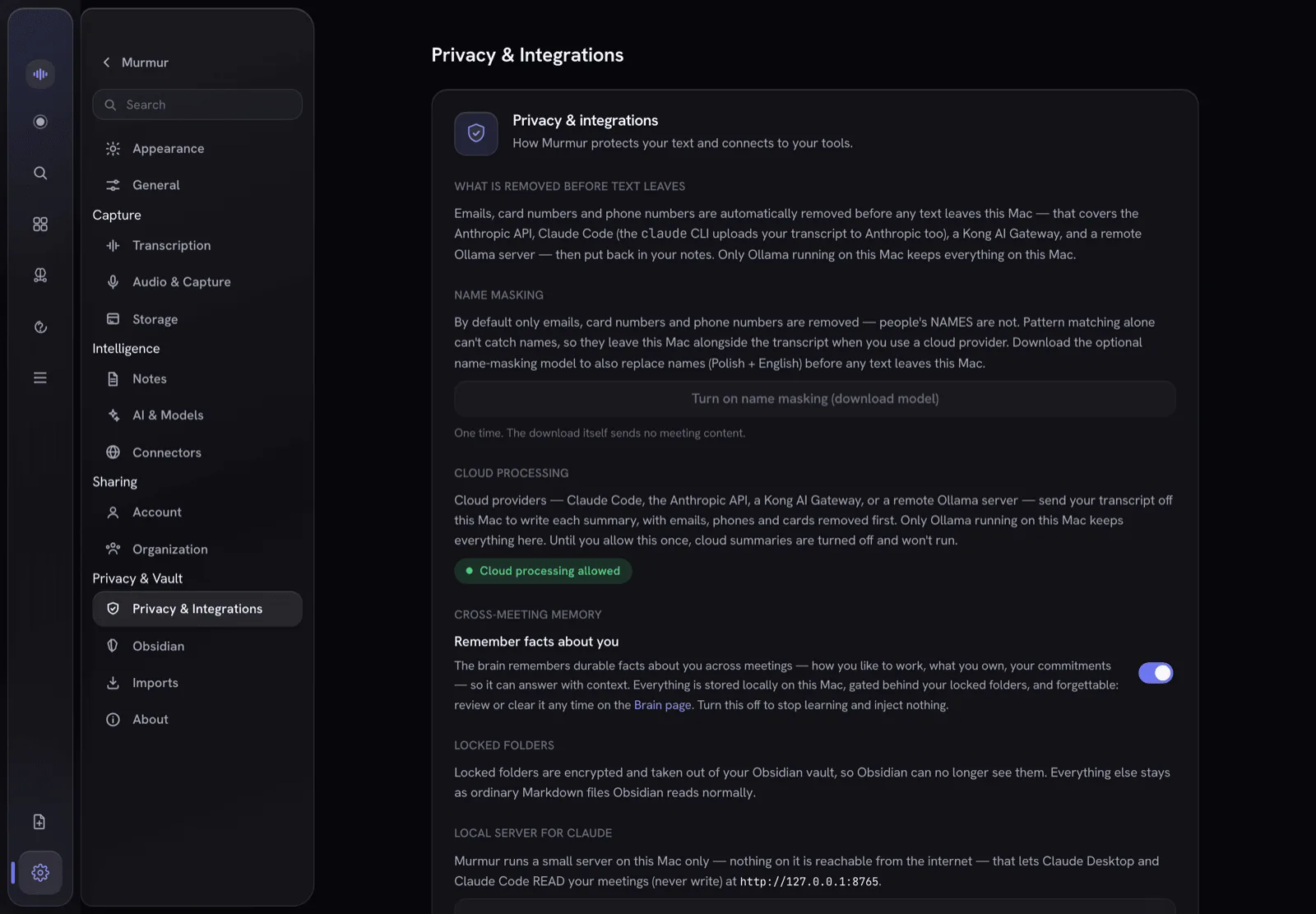
By default, people's names are not removed. Pattern matching cannot find names reliably, so without name masking they leave the Mac with the transcript.
To mask names too, open Settings › Privacy & Security and choose Turn on name masking (download model). IndexOne downloads a small model once; the download sends no meeting content. The model runs on this Mac and replaces people's names, in Polish and English, before any text leaves. When it is ready, the page shows Name masking on.
During a recording
The name-masking model cannot run while you record. If you ask a cloud AI something during a recording, IndexOne does not send the question and says so. You can ask again after the recording, or choose Send without name masking for that one question. Such a call is marked Names not masked in Analytics.
Cloud processing permission
Claude Code and Codex stay off until you allow cloud processing once. Choose Allow cloud processing in Settings › Privacy & Security › Cloud processing, or in the prompt IndexOne shows the first time a cloud AI is needed. The page then shows Cloud processing allowed. Asking Ivy on the web needs the same permission.
You can keep using Ivy on this Mac with no cloud at all.
Stopping cloud processing
IndexOne 3.19 has no switch to take the permission back. To stop sending text to a cloud AI, choose Ivy on this Mac in Settings › AI Models › AI in this workspace for each workspace that uses Claude Code, Codex or Ivy on the web. See AI models.
A request that is already on its way may still finish.
Images in notes
IndexOne reads the text inside images in your notes on this Mac. That text travels with the note like the rest of its text, and is redacted the same way.
The images themselves stay on this Mac unless you turn on Send note images to the AI model in Settings › Privacy & Security › Images in notes. It is off by default. When it is on, images go to Claude Code:
- in Ask, up to four images from the notes you ask about, as smaller copies without metadata;
- in meeting notes, up to 36 frames from the meeting's screen recording.
Faces, handwriting and anything else visible in a picture cannot be masked the way text is. Codex and Ivy on this Mac get only the text recognized on this Mac.
Automatic filing
When a cloud AI files a note for you, it receives your instruction, the item's title, up to three labels, its month and kind, and your folder names. It never receives transcripts, full notes or audio.
See what was sent
Analytics has a What leaves this Mac panel. For the last 7, 30 or 90 days it shows:
- Cloud calls and Tokens sent;
- how many emails, phone numbers, cards and names were removed;
- tokens By model and By day;
- Recent calls, with the destination, the workspace, the model, any images sent and the Names not masked mark.
The panel records counts, sizes and destinations, never the text that was sent. See Graph and analytics.
Something missing or out of date? Tell us in GitHub Discussions, or send a report from IndexOne with Send feedback.