Projects
A project pulls the things you care about onto one page, then lets you read them through whichever lens you need. Before 3.1, projects were called dashboards or boards.
Checked against IndexOne 3.19.0, released November 14, 2026.
Projects are part of On this Mac. Organizations and Personal don't have projects.
Create a project
- Choose + at the bottom of the sidebar, then New project.
- Or open Browse › Projects and choose New project.
A project sits in your Workspaces tree like a folder item, so you can file it next to the work it belongs to.
Tiles
Choose Compose on a project to arrange it. Add tile opens the palette, and you can drag tiles, or use Move earlier and Move later, to reorder them. Choose Done when you are finished. There are seven kinds of tile:
| Tile | What it shows |
|---|---|
| Note | A note from your library, with its opening lines. |
| Recording | A recorded meeting: when it ran, how long, and its audio. |
| Document | A PDF, deck or doc you imported. |
| Person | How often you meet them, and what they still owe you. |
| Promise ledger | Who committed to what, and whether it landed on time. |
| Reminders | Your open reminders, soonest first. |
| Living answer | A saved question with its last answer. |
Note, Recording, Document and Person tiles are material: what the project can read. Promise ledger, Reminders and Living answer tiles are views derived from that material; they don't add anything new for Ask to read.
Living answers
A living answer is a question the project keeps answering, for example "What still blocks the release?". The tile shows the answer and when it was answered. Re-answer asks again from what the project can read now.
If a source the answer drew on can't be read any more, for example because you locked its folder, the tile holds back the answer instead of showing one from material you can no longer see.
Five lenses
The tabs at the top of a project read the same tiles in different ways. No lens keeps a second copy of anything.
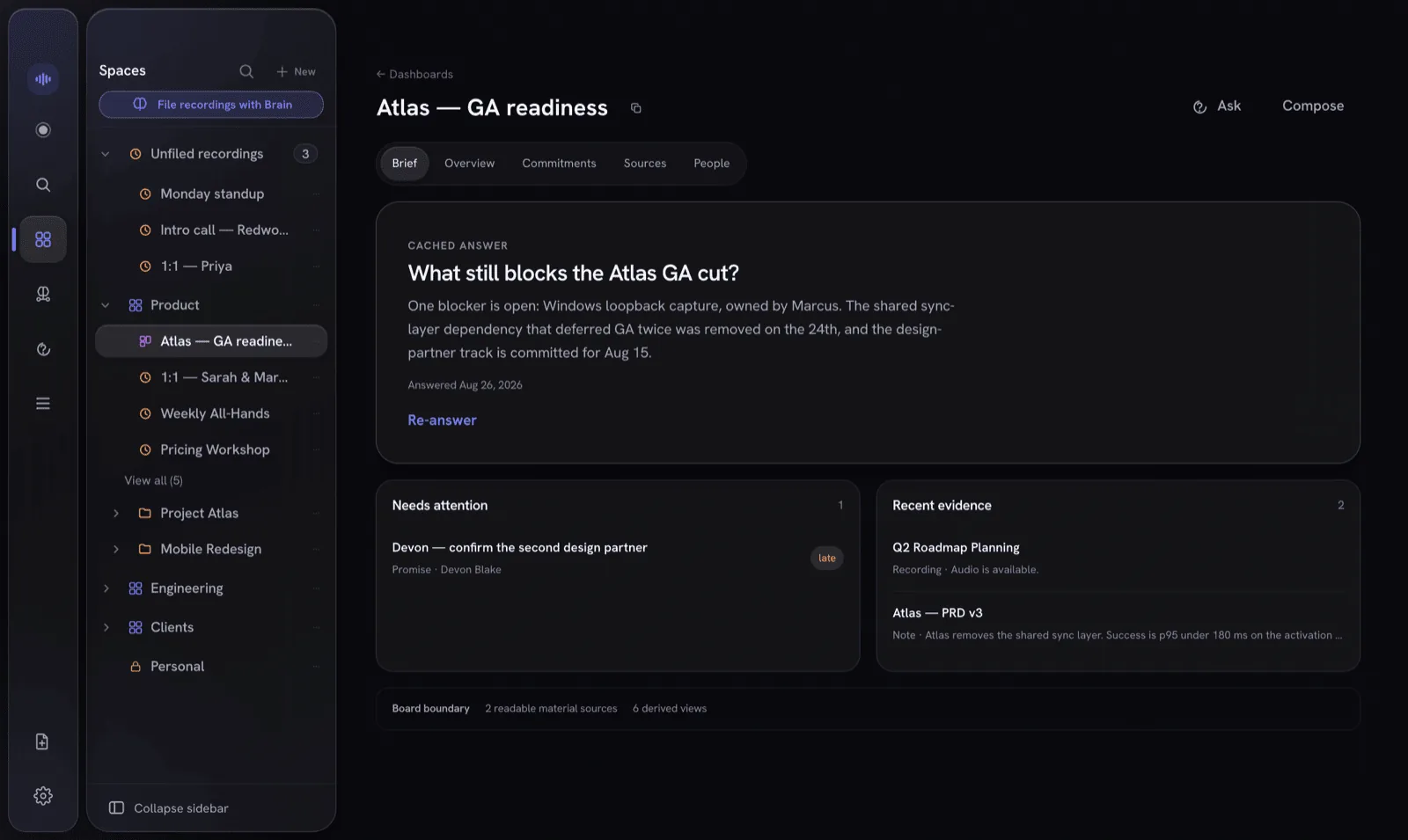
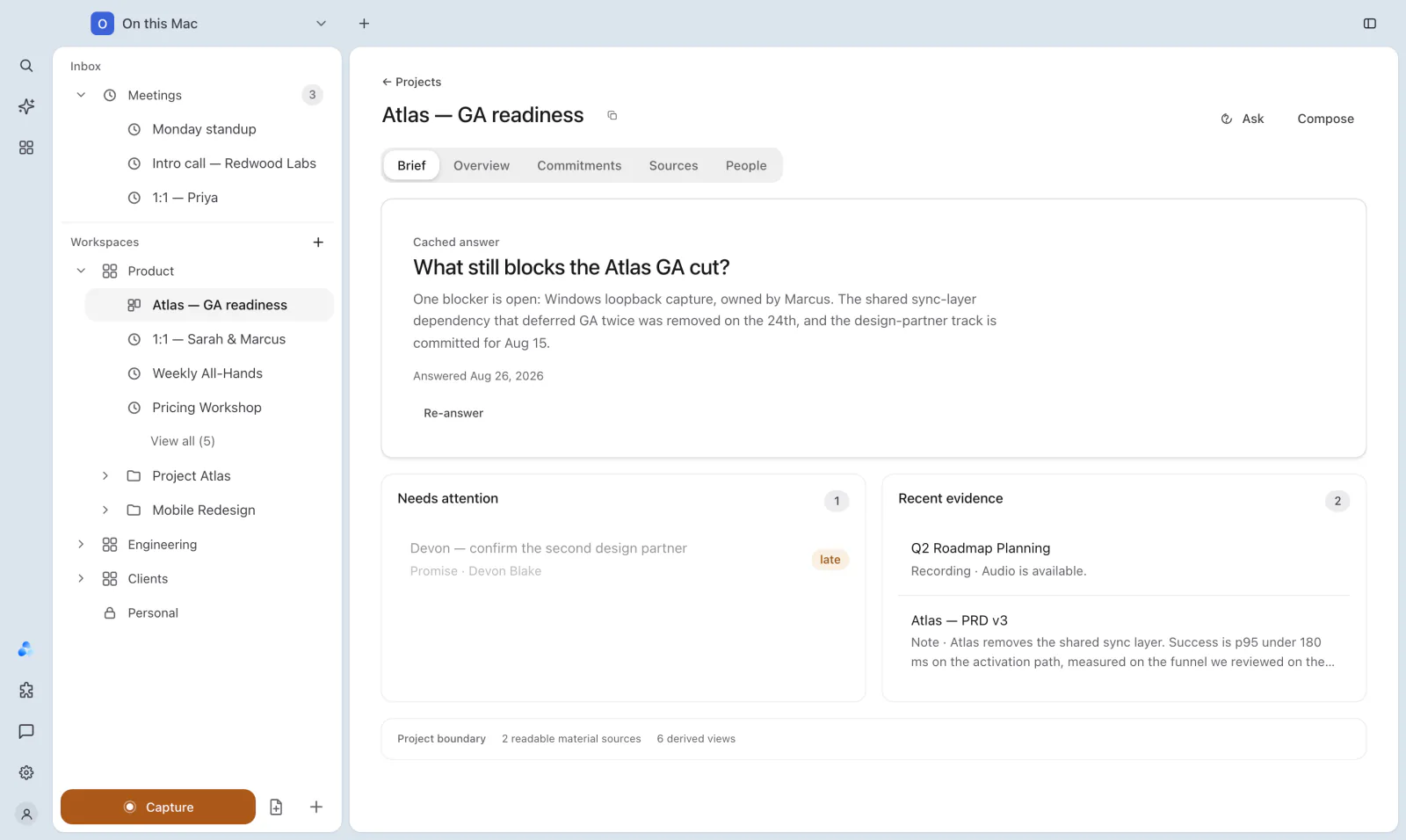
- Brief: the summary read. The pinned living answer, what Needs attention (such as a late promise), and the Recent evidence the project drew on.
- Overview: the tiles themselves.
- Commitments: every promise and reminder the project can resolve, with what is still open.
- Sources: the material the project can read, apart from the views derived from it.
- People: the people on the project.
At the bottom, the Project boundary line says how many readable sources the project has and how many derived views. Items in a locked folder are counted as sealed and left out. That way you can tell "nothing to report" apart from "the project can't see the material".
Ask a project
Choose Ask to open Ask this project. The answer uses only what is on the project, never the rest of your library. Suggested questions help you start, such as "What needs attention?" or "Which commitments are still open?".
Ask uses the AI you chose for On this Mac in Settings › AI Models. See Ivy and AI models.
Something missing or out of date? Tell us in GitHub Discussions, or send a report from IndexOne with Send feedback.